
You have a Lookfy gallery with the carousel design, and you want to make the carousel auto playing (auto rotate)?
Please follow these steps:
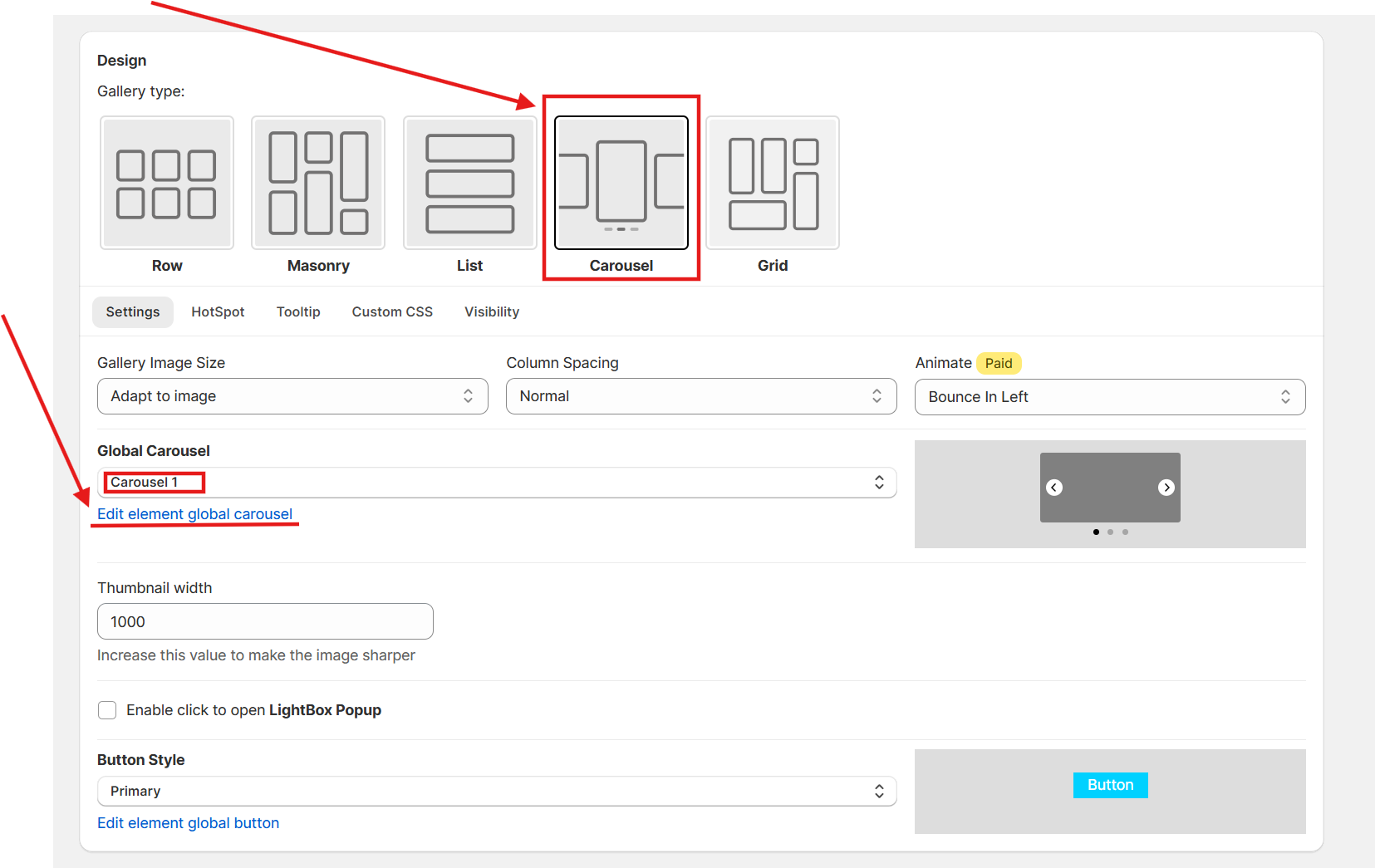
From your gallery settings page, in the Design section, click Edit element global carousel.
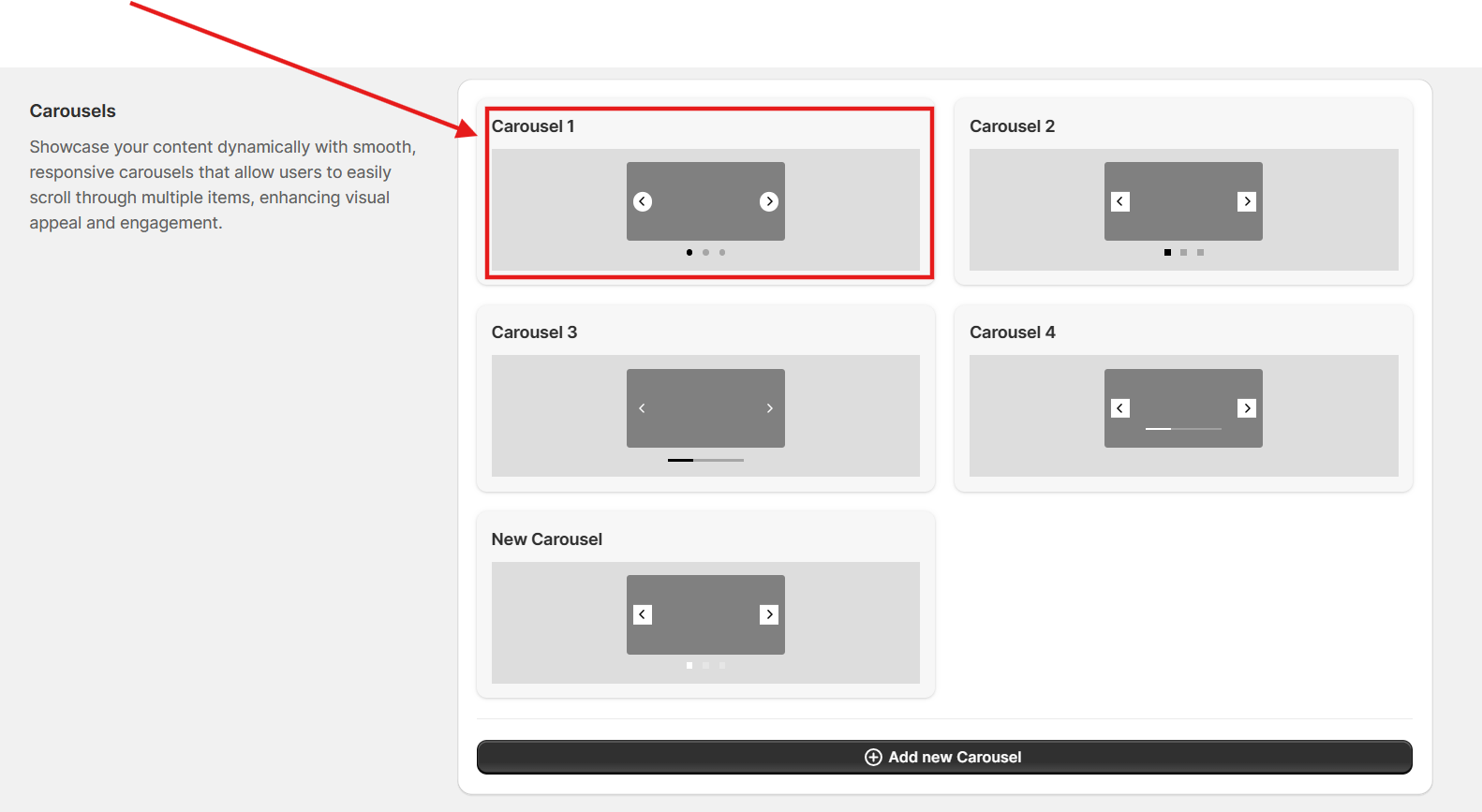
Click on the carousel that you applied to the gallery, here it is Carousel 1
Then at Auto Play choose Yes.
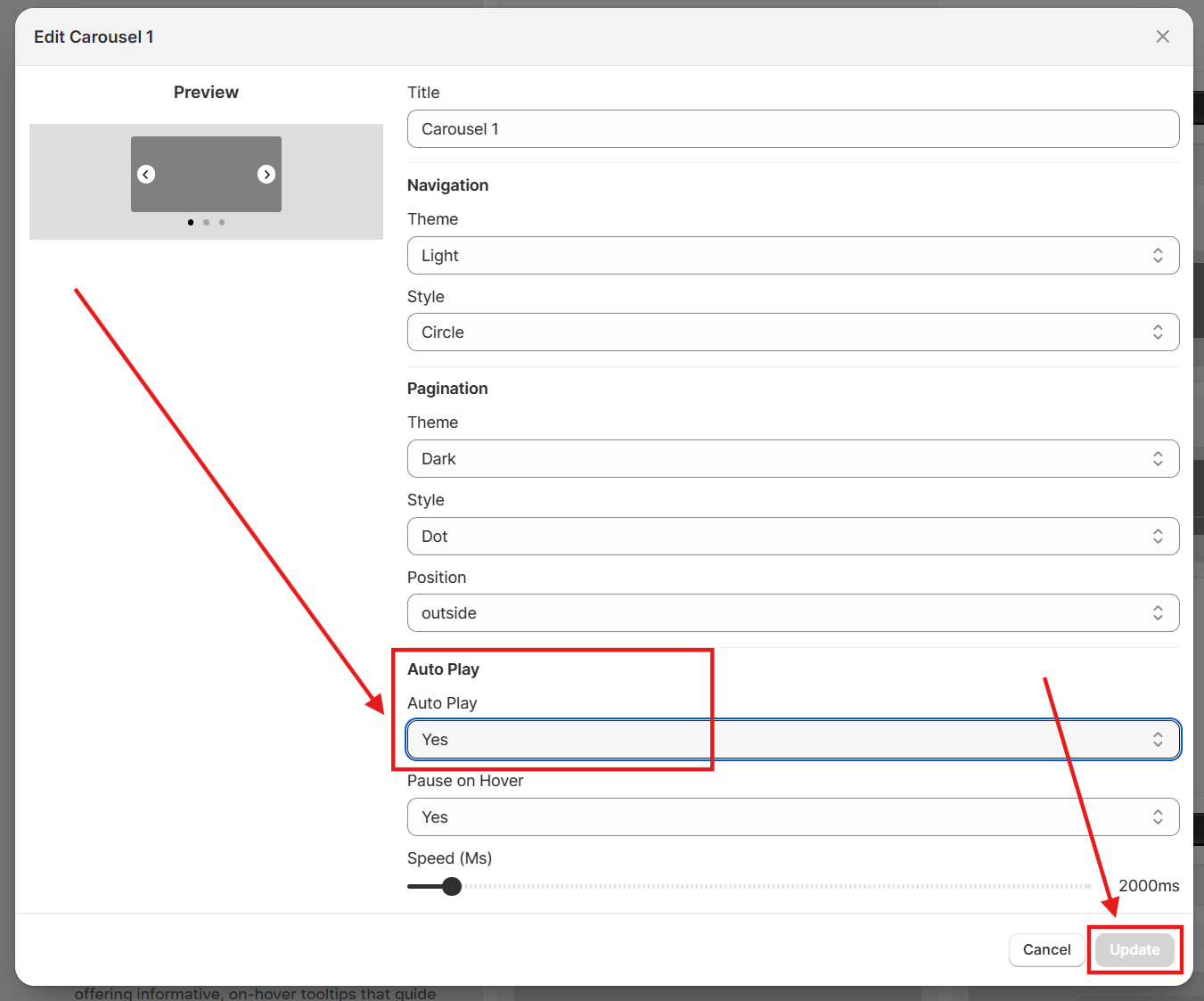
Finally click Update button to save the change and you are done.